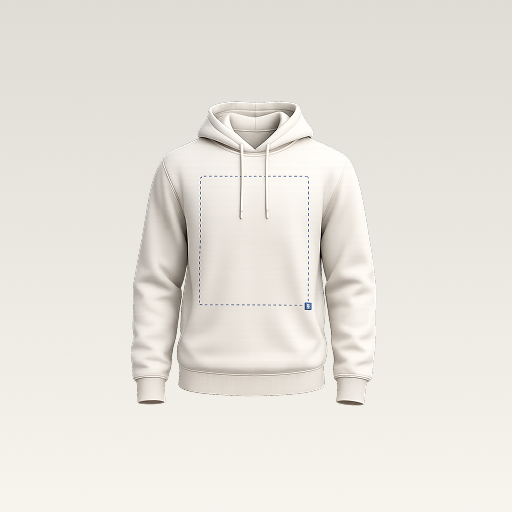
 mockup
The useful question is not simply whether a T-shirt image is 300 DPI. Ask how many pixels it contains, how large it will be printed, and what the printer requires for that product. Those three details let you calculate whether a raster file has enough resolution for the intended placement.

Required pixels = print size in inches × requested pixels per inch. A DPI label alone cannot supply missing artwork detail.
1. Separate pixel size, physical size, and the mockup image
Pixel dimensions describe the raster file: for example, 2400 × 3000 pixels. Physical dimensions describe how large you want that artwork to appear on the garment. Resolution connects the two. PPI means image pixels per inch; DPI technically describes printer dots, although print-upload instructions often use DPI when asking for image resolution.
The exported mockup is a third thing. It combines a garment preview with the artwork into a presentation image. A sharp render can make the concept clear, but it does not enlarge the usable detail in the original graphic. Keep the source artwork and presentation export separate so they do not get confused during a handoff.
2. Calculate the pixel dimensions you need
Multiply each planned print dimension in inches by the image resolution requested by your supplier. Suppose a particular job calls for a 10 × 12 inch graphic at 300 pixels per inch: the raster artwork needs 3000 × 3600 pixels at that size. If a different product accepts 150 pixels per inch, the calculation produces 1500 × 1800 pixels. These examples explain the arithmetic; they do not set a requirement for every T-shirt.
For a metric brief, divide centimeters by 2.54 to convert to inches before multiplying. For example, a 25.4 cm wide graphic is 10 inches wide. Check both dimensions of the artwork and preserve its aspect ratio. Stretching a logo to fill a requested rectangle can distort it even when the resulting file has the requested pixel count.
| Example print size | At 150 PPI | At 300 PPI |
|---|---|---|
| 4 × 4 in | 600 × 600 px | 1200 × 1200 px |
| 10 × 12 in | 1500 × 1800 px | 3000 × 3600 px |
| 12 × 16 in | 1800 × 2400 px | 3600 × 4800 px |
3. Check what your existing file can support
You can work backward too: pixel width divided by intended print width gives effective PPI. A graphic that is 1200 pixels wide produces 300 PPI at 4 inches wide, but only 100 PPI at 12 inches wide. The file has not changed; you are spreading the same samples over a wider area.
Inspect the original artwork at full pixel size. If lettering is already fuzzy or a screenshot includes compression damage, a larger export canvas will not automatically repair it. Look for the original vector, a higher-resolution source, or a clean redraw. You can also choose a smaller physical placement if it fits the design and the printer confirms it is suitable.
4. Understand what changing the DPI setting actually does
Changing resolution metadata without resampling changes the relationship between pixels and physical size; it leaves the pixel count unchanged. Turning on resampling changes the pixel dimensions by calculating additional samples or removing them. That can be useful, but additional pixels are not evidence that the original fine detail has been recovered.
For a practical test, make a copy and compare the smallest letters and edges before and after resizing. Judge them at the intended output size rather than only looking at the number in an export dialog. Be particularly careful with logos and text: invented edge detail can change the design even when the image appears superficially sharper.
5. Solve format and background problems separately
A file can have enough pixels and still contain an unwanted white background. PNG can preserve transparency when exported correctly; converting a white JPEG to PNG leaves its white pixels in place unless you remove them. Likewise, a transparent file can be too small. Check these as separate items instead of assuming one export option solves both.
Read the actual product instructions for accepted formats, color profile, print area, and image resolution. Vector artwork can scale cleanly when it contains real vector shapes, but a vector container may also include embedded raster images. Do not assume the extension alone proves that every element is resolution-independent.
Fix white boxes and halos in the artwork6. Use a mockup to choose the layout, then verify the source
In 3D Mockup, place your prepared graphic on a garment to compare its visual size and balance. Export a preview to share the placement decision. Once the design is chosen, return to the original artwork and the supplier template to confirm the actual print dimensions. Do not calculate physical garment measurements from the pixels of a perspective render.
Keep a short handoff record: original file name, pixel dimensions, intended physical size, required resolution, and supplier product reference. That makes the artwork check repeatable when someone requests a larger back print or reuses the design on a tote. When print quality is important, inspect a physical sample before committing to the run.
Quick answers
Is 300 DPI always required for T-shirt printing?
No single value applies to all products and printing methods. Use the printer’s current instructions for your selected product, then calculate pixel dimensions at the intended physical size.
Does changing a file from 72 DPI to 300 DPI make it sharper?
Changing the label without resampling does not add pixels. Resampling changes the pixel count, but does not guarantee that genuine detail or exact lettering is recovered.
Can I print the exported clothing mockup?
A mockup is a presentation image containing the garment. Supply the original design file prepared for the printer’s product template instead.
Further reading
Reference for the relationship between image pixels, physical dimensions, and resampling.
A supplier reference; requirements must be checked for the product you select.
Published by 3D Mockup. These guides explain a mockup workflow, not manufacturing specifications. Studio access requires a subscription; AI artwork generation uses credits.